How to Connect Trust Wallet to PancakeSwap
Step-by-step for seamless decentralized trading on BSC
Pre-Connection Preparation
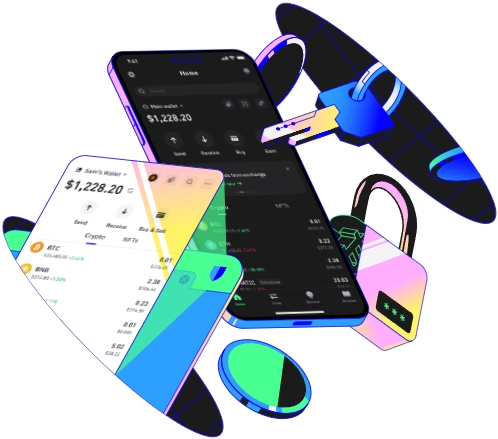
Before you start connecting Trust Wallet to PancakeSwap, there are a few key steps to avoid common errors later on. First, ensure your Trust Wallet app is updated to the latest version—older versions often have compatibility issues with decentralized finance (DeFi) platforms like PancakeSwap. For example, a friend of mine tried connecting last month using a Trust Wallet version from six months ago, and they kept getting a “network mismatch” error that prevented any action. Updating the app fixed this immediately. Next, confirm that you have the Binance Smart Chain (BSC) network added to your Trust Wallet. If you’re new to BSC, you can add it manually: go to Settings > Networks > Add Network, then enter the BSC Mainnet details—RPC URL: https://bsc-dataseed.binance.org, Chain ID: 56, Symbol: BNB, Block Explorer: https://bscscan.com. This is critical because PancakeSwap operates exclusively on BSC, not Ethereum. Then, make sure your Trust Wallet holds enough BNB on BSC to cover gas fees for transactions. A general rule is to keep at least 0.01 BNB even if you don’t plan to trade BNB directly; this small amount is enough for most basic swaps or liquidity operations. Also, double-check that you’re using the official PancakeSwap website, which is https://pancakeswap.finance. Scammers often create fake URLs with tiny typos, like “pancakeswap.finance.com” instead of the real one, and using these can lead to stolen funds. I once saw a Reddit post where a user lost $500 worth of CAKE because they clicked a fake link; verifying the URL is non-negotiable to protect your assets.
Connecting Trust Wallet to PancakeSwap
Once you’ve completed the prep work, the actual connection process is straightforward, especially if you use the Trust Wallet’s built-in browser. Open your Trust Wallet app and tap the “Browser” icon at the bottom of the screen—this is where you’ll access PancakeSwap without leaving your wallet, reducing the risk of phishing. Type the official PancakeSwap URL into the address bar and hit enter; wait for the page to load fully, as slow internet can cause partial loading that leads to connection failures. Look for the “Connect Wallet” button in the top-right corner of the page and tap it—this will bring up a list of compatible wallets, including MetaMask, Coinbase Wallet, and Trust Wallet. Select “Trust Wallet” from the options, and a pop-up will appear within your Trust Wallet asking for permission to connect. Carefully review the request: it should only ask for basic access to your wallet address, not your private keys or full token list. Tap “Connect” to confirm. At this point, some users might still see the wrong network (like Ethereum) instead of BSC. If that happens, look for a “Switch Network” button on the PancakeSwap page—tap it, then confirm the switch to BSC Mainnet when prompted by Trust Wallet. For instance, when I connected last week, the page defaulted to Ethereum, so I had to manually switch networks; this took less than 10 seconds. After confirming, you’ll see your BSC wallet address displayed in the top-right corner of PancakeSwap, which means the connection is successful. If you’re using the desktop version of Trust Wallet via its browser extension, the steps are almost identical: open the Trust Wallet extension, navigate to PancakeSwap, click Connect Wallet, choose Trust Wallet, and confirm the network switch if needed.
Post-Connection Best Practices
After connecting your Trust Wallet to PancakeSwap, there are important practices to keep your assets safe and ensure smooth operations. First, never authorize more tokens than you need for a specific transaction. When you swap or add liquidity, PancakeSwap will ask for permission to access your tokens—always select a specific amount instead of “unlimited” authorization. A colleague of mine made this mistake last year: they authorized all their CAKE tokens to a fake DeFi platform (they thought it was PancakeSwap), and they lost over $1,000. Unlimited authorization means the platform can take any of your tokens at any time, so limiting it is critical. Second, double-check all transaction details before confirming: the token pair, amount, gas fee, and network. For example, if you’re swapping BNB for CAKE, make sure you’re using the BSC version of CAKE (not the Ethereum ERC-20 version) to avoid sending funds to the wrong chain. You can verify the token address on BscScan if you’re unsure—just copy the contract address from PancakeSwap and search it on BscScan to confirm it’s the correct BSC token. Third, keep an eye on transaction statuses. After confirming a swap, you can track its progress by clicking the transaction link on PancakeSwap, which will take you to BscScan. If a transaction is pending for more than 10 minutes, it might be due to low gas fees—you can increase the gas fee in Trust Wallet to speed it up by editing the transaction before confirming. Also, avoid using PancakeSwap on public Wi-Fi networks, as these can be insecure and expose your wallet activity to hackers. Finally, log out of PancakeSwap when you’re done using it, especially on shared devices, to prevent unauthorized access to your wallet. These small steps will help you trade securely and efficiently on PancakeSwap with your Trust Wallet.
TAG:
