How to Swap Tokens on Trust Wallet (Quick Guide)
A quick, no-fuss guide for crypto beginners
Preparing Your Trust Wallet for Token Swaps
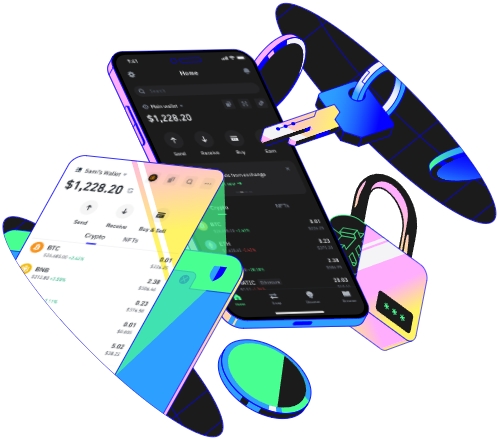
Before you even touch the swap button, there are two key checks to avoid common headaches. First, make sure your Trust Wallet app is updated to the latest version—old versions might have broken swap tools or security vulnerabilities. I learned this the hard way last month when I tried swapping a token and the app kept crashing; updating it fixed the issue instantly. Second, you need enough of the native coin for the blockchain you’re using to pay gas fees. For example, if you’re swapping on Ethereum, you need a tiny amount of ETH (like 0.001) to cover transaction costs, not just the token you want to trade. If you’re on Binance Smart Chain (BSC), you’ll need BNB, and Polygon needs MATIC. Never skip this step—without native coins, your swap will never get processed, and you’ll waste time waiting for a failed transaction. Also, if you’re using a hardware wallet with Trust Wallet, confirm it’s connected properly; hardware wallets add security but won’t work for swaps if the link drops.
You also need to confirm you have both tokens on the correct chain. If moving a token from another wallet, send it to your Trust Wallet address matching the right chain: ERC-20 to Ethereum, BEP-20 to BSC, etc. I once sent a BNB token to my Ethereum address, and it was stuck for three days until I used a cross-chain bridge to move it—don’t make that mistake. If you’re adding a new custom token to your wallet, double-check its contract address against the official website of the token project; fake contract addresses are a common scam trick that can steal your funds before you even start swapping.
Navigating the Swap Tool in Trust Wallet
Once your wallet is set up, open Trust Wallet and tap the “Trade” tab at the bottom—this holds the built-in swap feature, powered by trusted DEXs like Uniswap, PancakeSwap, and QuickSwap. Tap “Swap” to launch the interface, which has two main boxes: “From” (the token you sell) and “To” (the token you buy). In “From”, select the token you want to trade; if it’s a custom token not in the default list, use the search bar or paste its official contract address. For example, if you want to swap your BNB for CAKE, search for “CAKE” and select the BEP-20 version (since it’s on BSC).
Next, enter the amount you want to swap. The app will show an estimated amount of the target token you’ll receive, plus the default slippage tolerance of 0.5%. Slippage is the gap between the estimated price and the actual price when your transaction is processed. For low-liquidity tokens (like new meme coins), a 0.5% slippage might be too small, leading to failed trades. Last week, I swapped a small MEME token and had to raise slippage to 1% to get the transaction through—otherwise, it would have been canceled automatically. Also, check the gas fee options: standard is enough for small swaps, but fast or urgent works for busy times to avoid delays. I once tried a swap during a Polygon network spike and had to pick urgent gas to get my trade confirmed in 10 seconds instead of 5 minutes.
When you’re happy with all details, tap “Review Swap”. This page shows a summary: the tokens involved, swap amount, slippage, and total gas cost. Take 10 seconds to confirm everything is right—once you tap “Confirm Swap”, there’s no undo. You’ll see a loading spinner while the transaction is processed; if it says “Successful”, your new tokens should arrive in your wallet within a minute. If it’s still pending, don’t close the app immediately—transactions can take a few seconds to update.
Completing a Safe and Successful Token Swap
After a successful swap, the next step is to locate your new tokens—this is where many beginners get confused. Trust Wallet defaults to your main chain (usually Ethereum), so if you swapped BSC tokens, tap the chain name at the top of the screen and switch to BSC. Your new token should appear in the list; if not, use the “Add Custom Token” option and paste the contract address. I had a friend who spent an hour looking for his CAKE tokens because he forgot to switch from Ethereum to BSC; it’s an easy mistake to make even for experienced users.
If your swap fails, don’t panic—common fixes are simple. First, check the transaction history in the “Transactions” tab for error messages. If it says “insufficient gas”, add a tiny amount of native coin (like 0.001 BNB) to cover fees. If it’s “slippage too low”, increase the tolerance to 1% or 2% for low-liquidity tokens. For network congestion (like Ethereum’s busy periods), wait a few minutes and try again, or switch to a cheaper chain like Polygon for small swaps. Last month, I tried swapping ETH for USDC during a network spike; switching to Polygon cut my gas fee from $15 to $0.50 and got the trade done faster.
Finally, stick to safe practices to avoid scams. Trust Wallet’s built-in swap is secure, but fake tokens with similar names are everywhere. For example, a fake “USDC” might have a slightly different contract address—never confirm a swap if the address doesn’t match the official token site. I once almost fell for a fake UNI token, but the address looked off, so I avoided losing $100. Also, never swap for random tokens that promise 100x returns—those are almost always rug pulls. For large swaps (over $1,000), split the amount into smaller trades to reduce slippage risk; I split my last $5,000 swap of ETH into 5 parts, which saved me around $80 in slippage costs.
TAG:
