How to Send NFTs from Trust Wallet
A practical walkthrough for safely sending your digital collectibles
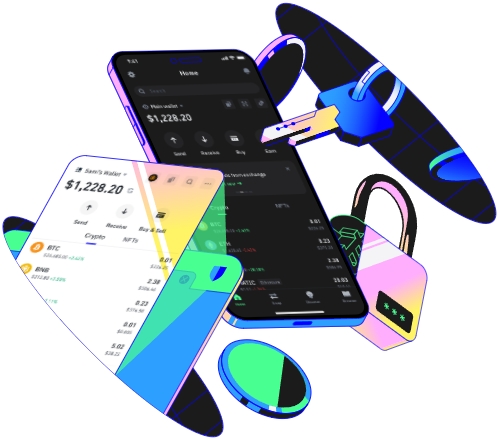
Pre-Transfer Prep: What You Need Before Sending NFTs. Before you even open Trust Wallet, take a minute to confirm three critical details. First, identify the blockchain your target NFT lives on—NFTs are chain-specific, so a CryptoPunk is on Ethereum, a polygon-based art piece uses Polygon, and some gaming NFTs might sit on Binance Smart Chain (BSC). Mixing these will get your NFT lost forever. Next, get the recipient’s exact wallet address, matching both the blockchain and their wallet type. For example, a MetaMask Ethereum address starts with 0x, while a Phantom Solana address is a long string of numbers and letters without the 0x prefix. You can’t send an Ethereum NFT to a Solana address—Phantom doesn’t support ERC-721 tokens from Ethereum, so the NFT will vanish into the void. Third, check the recipient’s wallet supports the NFT standard: most unique NFTs use ERC-721, while some bulk sets use ERC-1155. If their wallet only supports ERC-20 tokens, they won’t receive your collectible. I learned this the hard way last year when I tried to send a rare ERC-721 token to a friend who only used a basic wallet for stablecoins—they never got it, and I had to wait months to connect with the wallet provider to retrieve it (a rare exception, not the rule). Also, make sure you have enough of the network’s native token to cover gas fees—ETH for Ethereum, MATIC for Polygon, BNB for BSC. Gas fees fluctuate, so use Trust Wallet’s built-in gas tracker to pick a speed that fits your timeline; rushing to pick the cheapest option often leads to failed transactions.
Step-by-Step Process to Send NFTs from Trust Wallet. Launch Trust Wallet and update it to the latest version first—old versions have glitches that can break send transactions. Tap the NFT icon at the bottom of the screen to open your collectibles library. At the top, there’s a dropdown menu for blockchain networks; tap it and select the chain your NFT is on. If you have multiple wallets linked (like a BSC wallet you added earlier), double-check you’re in the correct wallet, not the default Ethereum one. Scroll through your NFTs until you find the one you want to send—if it’s part of a collection, make sure you tap the specific token (not the whole set, if it’s ERC-1155). Tap the three small dots (menu button) next to the NFT, then select Send from the pop-up. Now, enter the recipient’s address: you can paste it from a copied link, or scan their QR code by tapping the camera icon next to the address field. Do this slowly—even one wrong character, like a lowercase o instead of a 0, will send your NFT to the wrong place. Next, confirm the network at the top of the send screen is exactly the one you selected earlier. For example, don’t let it switch to Polygon if you meant to send an Ethereum NFT. Review the gas fee options: fast, standard, slow. If you’re in a hurry, pick fast, but note that Ethereum fast fees can be $50+ during peak times. Once all details are verified, tap Confirm. You’ll be prompted to use your security method—PIN, fingerprint, or Face ID—to authenticate. Wait a few minutes (longer for congested chains like Ethereum) for the transaction to process. After confirmation, tap View on Explorer to check the status—this will take you to Etherscan or the relevant explorer, where you can see if the transaction is confirmed. Last month, I sent a Bored Ape (Ethereum) to a friend: I selected Ethereum, pasted their MetaMask address, confirmed gas was $15 (standard), authenticated, and it was confirmed in under three minutes. My friend received the NFT in their MetaMask collectibles tab 10 minutes later, once the network fully indexed it.
Common Mistakes to Avoid When Sending NFTs via Trust Wallet. The most costly mistake is sending to the wrong blockchain. A friend of mine once sent his Azuki (Ethereum ERC-721) to a Solana Phantom address because he skipped checking the network—Phantom doesn’t support Ethereum NFTs, so that Azuki is gone forever with no recovery option. Always pause before hitting send and triple-check the network. Second, typos in the recipient’s address. I almost sent a rare art NFT to a wrong address last year; I caught it when I compared the address to the one my friend texted me—there was a missing “f” in the middle. Blockchain transactions are irreversible, so there’s no customer support to fix this. Third, not confirming the recipient’s wallet supports the NFT standard. If you send an ERC-721 to a wallet that only handles ERC-1155, the recipient won’t see it in their collectibles. Ask them to share their wallet’s NFT compatibility before sending. Fourth, underfunding gas fees. If you don’t have enough native token to cover gas, the transaction will fail, and you’ll lose any small amount you spent on the gas for the failed attempt. Always keep 0.01 ETH extra in your Ethereum wallet for fees, even if you’re not trading. Fifth, trusting random links. Never click links in DMs that say “send NFT here” to cut corners—always use Trust Wallet’s built-in send function to avoid phishing scams that steal your recovery phrase. Finally, never send an NFT to a wallet that’s inactive or unowned by the recipient. If your friend says they’ll set up a new wallet, wait until they confirm it’s ready before sending—stuck NFTs in inactive wallets are almost impossible to retrieve. Taking these steps will make your NFT sending process smooth and safe, no lost collectibles or stress.
TAG:
